I Ran 849 Tests on AI Context Files. Here's What Actually Works.
- David O'Neil
- Cybersecurity
- 05 Feb, 2026
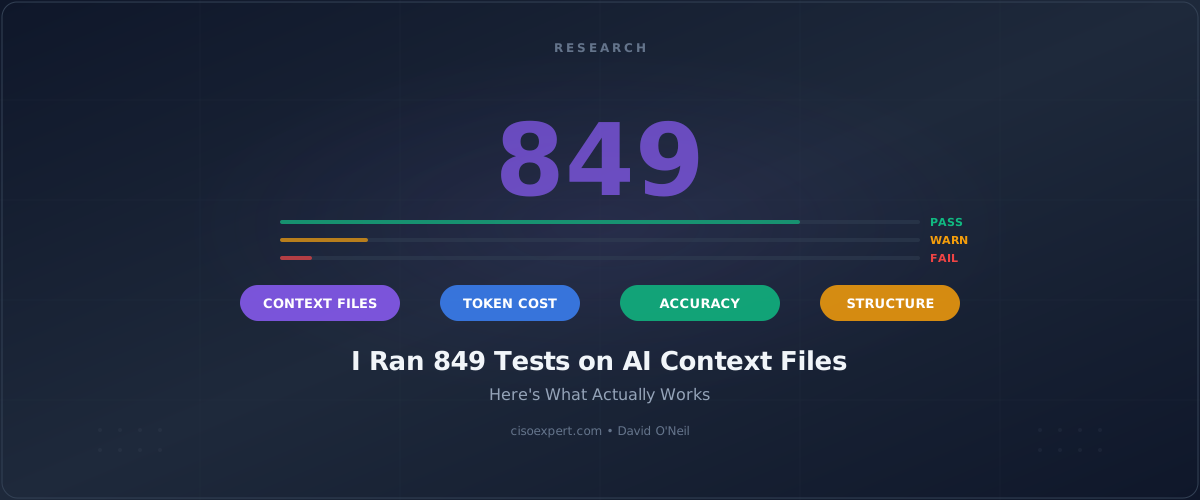
After 849 controlled tests, $20 in API costs, and a week of experiments, I can tell you exactly how to organize your Claude Code reference files.
The short version: Put everything in one flat folder with descriptive filenames. That’s it.
I know that sounds too simple. I thought so too. So I built a test harness and ran the numbers.
What Are Reference Files?
If you’re new to Claude Code, here’s the quick version: you can point Claude at your own files using the @ symbol.
Type @my-notes.md and Claude reads that file. Type @docs/to browse everything in that folder.
These are your reference files—documentation, runbooks, architecture notes, whatever you want Claude to have access to when answering your questions.
The question I wanted to answer: Does it matter how you organize these files?
If you already use reference files, you’ve probably hit the same wall I did.
The Problem That Started This
I use Claude Code daily for cybersecurity work—building incident response playbooks, reviewing configurations, and documenting security procedures. Over time, my reference files grew to hundreds of thousands of words across dozens of files.
And I noticed something: Claude’s answers were getting inconsistent. Sometimes it would nail exactly what I needed. Other times it would miss obvious connections between documents that were sitting right there in the folder.
Was it the folder structure? Did I need better organization? An index file? Summaries?
Instead of guessing, I decided to test it systematically.
Why Security Teams Should Care
If you’re building incident response playbooks, threat intelligence libraries, compliance documentation, or security runbooks—and using AI to help you query them—file organization directly impacts the quality of answers you get back.
A 3% drop in accuracy might not sound like much. But when you’re asking “What’s our ransomware containment procedure?” during an active incident, a missed document isn’t a rounding error. It’s a gap in your response.
Everything I’m about to share applies to any Claude Code workflow, but security documentation is where I’ve seen the biggest impact—because our reference libraries tend to be large, cross-referenced, and built over years of accumulated policy.
1.0 The Experiment
I created a synthetic knowledge base—a fictional company with employee directories, project documentation, financial reports, and technical specs.
Why synthetic? Because I needed known-answer questions. I had to know exactly what the correct answer was before I asked Claude, so I could measure accuracy objectively.
I built the corpus at three scales to see where things break down:
| Version | Word Count | Files | Roughly Equivalent To |
|---|---|---|---|
| Small | 120,000 | 80 | A team’s documentation |
| Medium | 302,000 | 121 | A department wiki |
| Large | 622,561 | 277 | An enterprise knowledge base |
Then I organized those same files in five different structures:
| Structure | What It Looks Like |
|---|---|
| Flat | All files in one folder |
| Shallow | Files grouped into a few subfolders |
| Deep | 3-4 levels of nested folders |
| Very-Deep | 5+ levels of nested folders |
| Monolith | Everything combined into one giant file |
I asked 23 known-answer questions across each combination—questions that required Claude to find specific facts, connect information across documents, and synthesize details from multiple files.
Total: 849 individual tests, all run against Claude 3.5 Haiku with automated ground-truth scoring.
2.0 The Results: Flat Wins
I assumed a well-organized folder hierarchy—the kind of structure any good sysadmin would build—would outperform a messy flat directory. Clean categories, logical nesting, maybe an index file at the top. That’s just good practice, right?
The data said otherwise:
| Structure | Small (120K) | Medium (302K) | Large (622K) |
|---|---|---|---|
| Flat | 100% | 100% | 97.35% |
| Shallow | 100% | 100% | 94.42% |
| Deep | 96.78% | 92.04% | 95.00% |
| Very-Deep | 95.65% | 96.04% | 96.04% |
The simplest approach—all files in one directory—performed best at every scale.
At 302,000 words, flat structure hit perfect accuracy. The first meaningful drop didn’t appear until 600K+ words, and even then it was only 2.65%.
Each level of folder nesting generally costs 1-2% accuracy. Not catastrophic for any single level, but the trend is clear: simpler beats organized.
(A note on the data: Very-Deep slightly outperforms Deep at the 622K scale. This likely reflects statistical variation within the margin of error—23 questions isn’t a huge sample per structure. The consistent pattern across all three corpus sizes is what matters: flat wins.)
3.0 Why Flat Works: Your Filenames Are the Index
This is the key insight, and it changes how you think about organizing files for AI tools.
When you point Claude at a folder with @docs/, here’s what actually happens:
- Claude lists the filenames in that folder
- Claude decides which files look relevant based on the names alone
- Claude reads only those files
In other words, Claude doesn’t read everything—it makes a selection judgment from filenames first.
Here’s the difference in practice:
| How You Organize | What Claude Sees First |
|---|---|
docs/security/playbooks/ransomware/response.md | It has to navigate 4 folder levels to discover this file exists |
incident-response-playbook-ransomware.md | It sees the filename immediately and knows exactly what’s inside |
With flat structure, Claude sees all your filenames at once—one list, one decision, better selection.
With nested folders, Claude has to navigate down into each directory, making multiple decisions about which branches to explore. Every level is a chance to take a wrong turn and miss the file that has the answer.
Your filenames are the index. The more descriptive they are, the better Claude selects.
Here’s what works:
vulnerability-management-open-source-tools.md— clear, searchableincident-response-plan-additional-topics.md— specific, descriptive
Here’s what doesn’t:
notes.md— too vaguechapter-3.md— no content signaldocs.md— could be anything
One Topic Per File
The filename insight has a direct corollary that’s easy to overlook: how you scope each file matters just as much as what you name it.
If one file covers three topics, Claude has to read the whole thing to assess relevance. If one topic is spread across five files, Claude might grab some but miss the connections.
The sweet spot is one cohesive topic per file.
| Approach | What Happens |
|---|---|
| One file with multiple topics | Claude must read the entire file to assess relevance; wastes context window |
| One topic spread across many files | Claude may miss connections between related pieces |
| One topic per file | Claude can assess relevance from the filename; reads only what it needs |
Good documentation practice turns out to be optimal AI practice too—but for a completely different reason. Humans benefit from focused pages because they’re easier to read. AI benefits because it can assess relevance from the filename alone without reading the content. Same outcome, different mechanism.
4.0 The Counterintuitive Finding: Helper Files Hurt at Scale
This is where I expected the opposite result.
I figured that adding “enhancement” files—keyword indexes, document summaries, navigation guides—would help Claude find content faster, especially in large corpora.
I tested several approaches and measured how often they recovered answers that Claude had previously missed:
| Enhancement Type | What It Contains | Recovery Rate on Failed Questions |
|---|---|---|
| Keywords only | 10 keywords per file | 80% |
| 2-sentence summary | Brief summary of each file | 60% |
| 5-sentence summary | Detailed summary of each file | 40% |
| Summary + keywords | Combined approach | 80% |
Keywords alone matched the combined approach. Longer summaries actually performed worse—more words, more noise, less signal.
But here’s the critical finding. Watch what happens at scale:
| Setup | Medium (302K) | Large (622K) | Change |
|---|---|---|---|
| Flat folder, no extras | 100% | 97.35% | -2.65% |
| Flat folder + enhancements | 100% | 92.74% | -7.26% |
At 622K words, enhancement indexes dropped accuracy by 4.6 percentage points.
Why? The ~27,000 words of index content became noise competing for context window space. At small scales the discovery benefit outweighs the cost. At large scales, the overhead wins—and not by a little.
This was the finding that surprised me most. The instinct to “help Claude find things” by building elaborate indexes actually backfires.
5.0 Putting It Together
So we’ve established three things: flat structure beats nested, filenames are the discovery mechanism, and helper files backfire at scale.
It all comes down to one principle: Claude works best when it can see everything at once and judge relevance from names alone. Flat structure maximizes visibility. Descriptive filenames maximize judgment accuracy. And keeping the corpus lean—no index overhead—maximizes signal-to-noise ratio.
Here’s what that looks like in practice.
6.0 What You Should Do
Based on 849 tests across five structures, six enhancement strategies, and three corpus sizes—here’s the practical guide:
By Project Size
| Your Reference Files | Strategy |
|---|---|
| Under 100K words | Organize however you like—structure doesn’t matter much yet |
| 100K-300K words | Switch to flat structure; keyword index optional |
| 300K-600K words | Flat structure required; skip enhancement indexes |
| 600K+ words | Flat structure; split into separate sub-corpora by domain (see below) |
The Checklist
Do this:
- Put all reference files in one folder
- Use clear, descriptive filenames that include key terms
- Keep one cohesive topic per file
- Keep your
CLAUDE.mdbrief—Claude Code’s project config file should point to your reference folder and list the 2-3 things Claude needs to know about your project. Stop there.
Avoid this:
- Deep folder hierarchies (3+ levels)
- Index files, summaries, or navigation docs at large scale
- Monolith files that cram everything into one document
- Vague filenames like
notes.mdorconfig.md
A Real Example
Here’s how I restructured my own security reference files:
Before (nested, organized by category):
docs/
├── incident-response/
│   ├── playbooks/
│   │   ├── ransomware.md
│   │   └── data-breach.md
│   └── templates/
│       └── post-incident-review.md
├── compliance/
│   ├── frameworks/
│   │   └── nist-csf-mapping.md
│   └── audit/
│       └── annual-review-checklist.md
└── index.md
After (flat, descriptive names):
security-docs/
├── incident-response-playbook-ransomware.md
├── incident-response-playbook-data-breach.md
├── incident-response-post-incident-review-template.md
├── compliance-nist-csf-framework-mapping.md
└── compliance-annual-audit-review-checklist.md
Same files. Same content. Fewer decisions for Claude. Measurably better answers.
What About 600K+ Words?
If your reference library has grown past 600K words, the flat-in-one-folder approach starts showing its first cracks (97.35% accuracy vs. 100% at 302K). The fix: split into separate domain-specific folders and reference them individually.
For example, keep your incident response docs in @ir-docs/ and your compliance docs in @compliance-docs/. Each folder stays flat internally, but you’re pointing Claude at a manageable slice rather than the whole library at once.
The Bottom Line
After 849 tests, the data is clear—and the answer is simpler than I expected:
- Use flat structure. All files in one directory.
- Name files descriptively. Your filenames are the index.
- One topic per file. Let Claude assess relevance from the name.
- Skip enhancement indexes at scale. They hurt more than they help above 300K words.
- Don’t over-engineer. The simplest approach wins.
If you’re building security documentation, compliance libraries, or incident response playbooks for AI-assisted workflows, the highest-performing approach is also the easiest to maintain. You don’t need elaborate folder hierarchies or index systems. You need clear filenames in a flat folder.
Your next step: Pick one reference folder you use with Claude Code this week. Flatten it. Rename the files descriptively. See if the answers improve. I think you’ll notice the difference.
The entire study cost about $20 in API usage and is fully reproducible. The test harness, corpus, and analysis are all open source.
GitHub Repository: context-structure-research
Research conducted January 2026. 849 test runs using Claude 3.5 Haiku across 120K to 622K word document sets with automated ground-truth evaluation.